|
C# 2008 Programmer's ReferenceFor this example, use the default and click Next. Figure 16-19 In the next page, indicate if the application is available both online and offline or available online only. Accept the default selection, and click Next to proceed to the next step. In the next page, click Finish to complete the wizard and start the publishing process. When publishing is completed, a web page (publish.htm) appears; it contains a link to install the application (see Figure 16-20). Figure 16-20 The Publish.htm page lists the following: ? Name, Version, and Publisher information ? Prerequisites required for your application (automatically generated based on the application you are deploying) The URL is the deployment location of your application. Users who want to install this application through ClickOnce simply need to go to this URL, using their web browser. You provide the URL to your users through email, brochures, and so on. To install the application, click the Install button. You are presented with: ? File Download dialog — Security Warning prompt ...» | Код для вставки книги в блог HTML
phpBB
текст
|
|


 Фоторамка "Poster black" (70х100 см).
 Демонстрационные шахматы, магнитные.
 Фоторамка "Asti" (30х40 см).






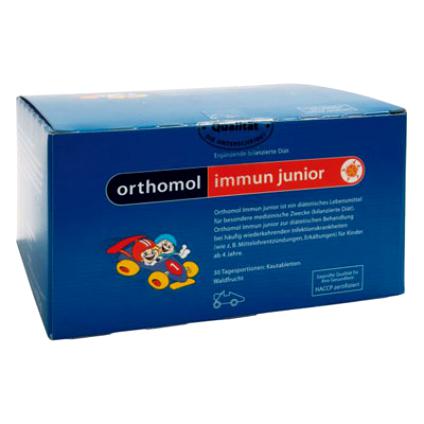 Orthomol Immun Junior Сила иммунитета на страже Вашего ребенка