|
Microsoft Windows Embedded CE 6.0 Exam Preparation KitLesson 1: Creating and Customizing the Operating System Design You can use Platform Builder in Visual Studio 2005 to create an OS design with as many or as few of the features available in Windows Embedded CE 6.0 R2 as you find necessary for your specific purpose. For example, you can create an OS design for a particular target device, such as a portable multimedia device, and another OS design for a remotely programmable wireless-enabled digital thermostat. These two target devices might rely on the same hardware, but the purposes of the devices are different and so are the corresponding OS design requirements. After this lesson, you will be able to: в– В Understand the role and specifics of an OS design. в– В Create, customize, and use OS designs. Estimated lesson time: 30 minutes. Operating System Design Overview The OS design defines the components and features contained in a run-time image. Essentially, it corresponds to a Visual Studio with Platform Builder for Windows Embedded CE 6.0 R2 project. The OS design can contain any or all of the following elements: в– В Catalog items, including software components and drivers в– В Additional software components in the form of subprojects в– В Custom registry settings в– В Build options, such as for localization or debugging based on Kernel Independent Transport Layer (KITL) Additionally, every OS design contains a reference to at least one Board Support Package (BSP) with device drivers, hardware-specific utilities, and an OEM adaptation layer (OAL) ...» | Код для вставки книги в блог HTML
phpBB
текст
|
|


 Набор детской посуды "Тачки. Дисней", 3 предмета.
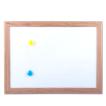 Доска магнитно-маркерная, А3, 342x484 мм.
 Средство дезинфицирующее "Аламинол 1", 1 литр, концентрат.








 Orthomol Immun Junior Сила иммунитета на страже Вашего ребенка