|
iPad User GuideThe more bars you see, the stronger the connection. For information about confguring Wi-Fi settings, see “ Wi-Fi ” on page 117 . Joining a Cellular Data Network Before you can join a cellular data network on iPad Wi-Fi + 3G, you need to sign up for a cellular data plan. Using AT&T data plans for iPad, you can choose a data plan, track your data usage, and change or cancel your plan on iPad at any time. 3 g, EDGE, and GPRS allow Internet connectivity over the cellular network available through your iPad carrier’s wireless service. Check the carrier’s network coverage in your area for availability. When iPad connects to the Internet using the cellular data network, you see the 3G (3G), EDGE (E), or GPRS (o) icon in the status bar at the top of the screen. Turn Data Roaming on:if you’re outside your carrier’s network, you may be able to use a cellular data network from another carrier. In Settings, choose Cellular Data and turn Data Roaming on. Important:roaming charges may apply. to avoid data roaming charges, make sure Data Roaming is turned of. Monitor your cellular data network usage:in settings, choose cellular data > view account. Set up a cellular data plan on iPad:from the ipad home screen, tap Settings and choose Cellular Data ...» | Код для вставки книги в блог HTML
phpBB
текст
|
|


 Настольная игра "Спаси котенка".
 Рюкзак малый "Смурфики. Love".





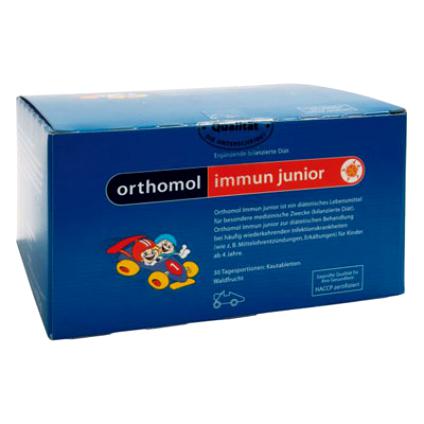 Orthomol Immun Junior Сила иммунитета на страже Вашего ребенка