|
Fedora™ Unleashed, 2008 editionThis section provides a short example of creating a Linux printer entry, using CUPS's web-based interface. Use the CUPS interface to create a printer and device queue type (such as local, remote, serial port, or Internet); then you enter a device uniform resource identifier (URI), such as lpd://192.168.2.35/lp, which represents the IP address of a remote UNIX print server, and the name of the remote print queue on the server. You also need to specify the model or make of printer and its driver. A Printers page link allows you to print a test page, stop the printing service, manage the local print queue, modify the printer entry, or add another printer. In the Administration page, click the Add Printer button and then enter a printer name in the Name field (such as lp), a physical location of the printer in the Location field, and a short note about the printer (such as its type) in the Description field. FigureВ 19.13 shows a sample entry for a Brother Multi Function Printer. FIGURE 19.13 Use CUPS to create a new printer queue ...» | Код для вставки книги в блог HTML
phpBB
текст
|
|


 Детский стиральный порошок "Умка" (2400 г).
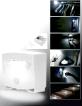 Светильник с датчиком света и движения "Майти лайт".












 Orthomol Immun Junior Сила иммунитета на страже Вашего ребенка