|
NeHe's OpenGL TutorialsThese lines can be added at the top of the program, somewhere under the last #include line, and before the GLuint texture[1] line. float points[45][45][3]; // The Array For The Points On The Grid Of Our "Wave" int wiggle_count = 0; // Counter Used To Control How Fast Flag Waves GLfloat hold; // Temporarily Holds A Floating Point Value Move down the the LoadGLTextures() procedure. We want to use the texture called Tim.bmp. Find LoadBMP("Data/NeHe.bmp") and replace it with LoadBMP("Data/Tim.bmp"). if (TextureImage[0]=LoadBMP("Data/Tim.bmp")) // Load The Bitmap Now add the following code to the bottom of the InitGL() function before return TRUE. glPolygonMode( GL_BACK, GL_FILL ); // Back Face Is Filled In glPolygonMode( GL_FRONT, GL_LINE ); // Front Face Is Drawn With Lines These simply specify that we want back facing polygons to be filled completely and that we want front facing polygons to be outlined only. Mostly personal preference at this point. Has to do with the orientation of the polygon or the direction of the vertices ...» | Код для вставки книги в блог HTML
phpBB
текст
|
|


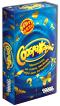 Настольная игра "Соображарий".
















 Orthomol Immun Junior Сила иммунитета на страже Вашего ребенка