|
NeHe's OpenGL TutorialsFor reasons discussed later, it has to have only 50% luminance, so we have to scale it in the one or other way. I chose to scale it using the glPixelTransferf()-commands, that specifies how data from bitmaps is converted to textures on pixel-basis. I use it to scale the RGB components of bitmaps to 50%. You should really have a look at the glPixelTransfer()-command family if you're not already using them in your programs. They're all quite useful. Another issue is, that we don't want to have our bitmap repeated over and over in the texture. We just want it once, mapping to texture-coordinates (s,t)=(0.0f, 0.0f) thru (s,t)=(1.0f, 1.0f). All other texture-coordinates should be mapped to plain black. This is accomplished by the two glTexParameteri()-calls that are fairly self-explanatory and "clamp" the bitmap in s and t-direction. // Load The Bumpmaps if (Image=auxDIBImageLoad("Data/Bump.bmp")) { glPixelTransferf(GL_RED_SCALE,0.5f); // Scale RGB By 50%, So That We Have Only glPixelTransferf(GL_GREEN_SCALE,0.5f); // Half Intenstity glPixelTransferf(GL_BLUE_SCALE,0.5f); glTexParameteri(GL_TEXTURE_2D,GL_TEXTURE_WRAP_S,GL_CLAMP); // No Wrapping, Please! glTexParameteri(GL_TEXTURE_2D,GL_TEXTURE_WRAP_T,GL_CLAMP); glGenTextures(3, bump); // Create Three Textures // Create Nearest Filtered Texture >…< // Create Linear Filtered Texture >…< // Create MipMapped Texture >…< You'll already know this sentence by now: For reasons discussed later, we have to build an inverted Bump Map, luminance at most 50% once again ...» | Код для вставки книги в блог HTML
phpBB
текст
|
|


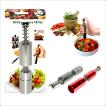 Мельница для перца (арт. NE80-166).
 Игра логическая "Грузовички 3".
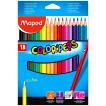 Цветные карандаши "Color Peps", трехгранные, 18 цветов.










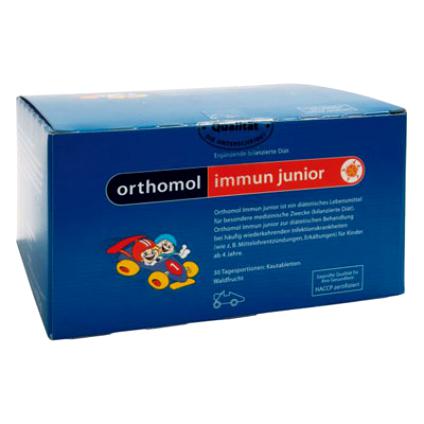 Orthomol Immun Junior Сила иммунитета на страже Вашего ребенка